Guide
What each app can do, and where to find it.
The codes, and which is which
- subscription code — you get it when you buy; it creates the account right on the device;
- activation code — adds a device to a subscription that is already paid for; the app on a device that is already connected issues it;
- account number — 16 characters in groups of four; it is the password to the subscription, so never share it and keep it where you will not lose it: we cannot recover it;
- account ref — six characters; it is safe, and support finds your subscription by it;
- ticket code — for a conversation with support through the "Write to us" form.
Android: first run
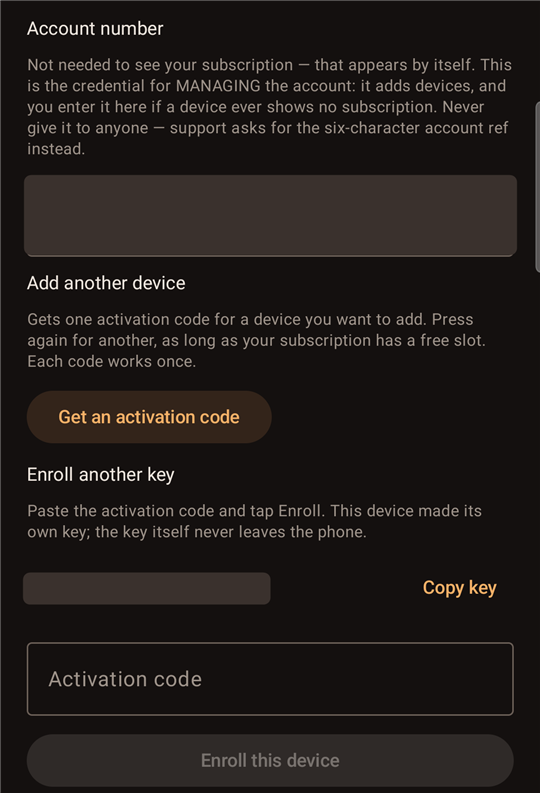
If you bought a subscription, choose "I have a subscription code" and enter it. The app creates the account right on the phone and shows its number. The number is always visible under "Advanced" → "Account number"; we recommend saving it somewhere else too: if the phone is lost or the app removed, we cannot recover it.
If another of your devices gave you the code, it is an activation code: enter it under "Enroll this device".
Android asks for notification permission and for VPN consent — both are needed: without the notification the system stops the background service, without the consent the tunnel cannot come up.
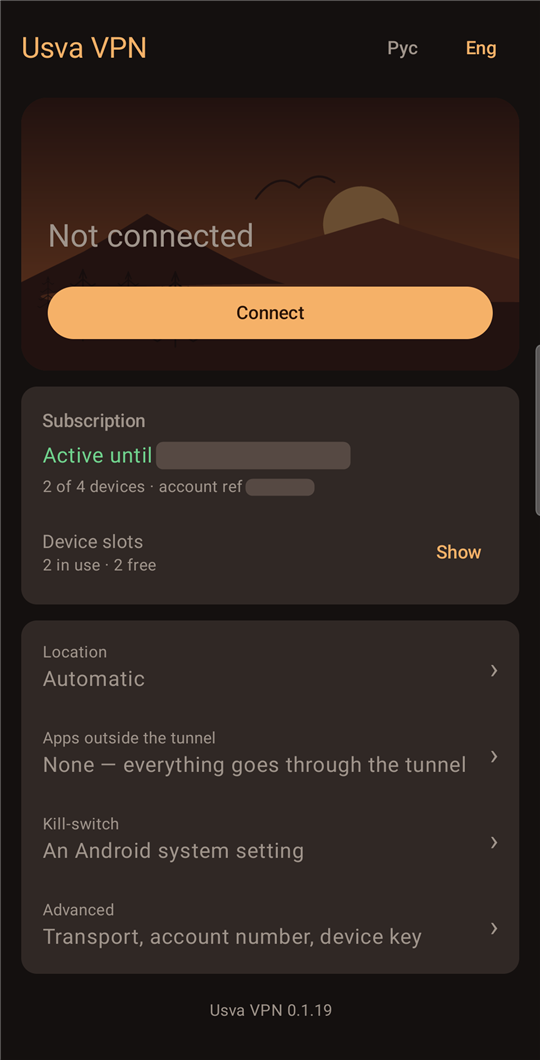
Android: the main screen
- "Connect" / "Disconnect" — the tunnel. Its state and exit country show here and in the notification; you can disconnect from the notification without opening the app;
- "Subscription" — the end date, how many devices are in use, and the account ref;
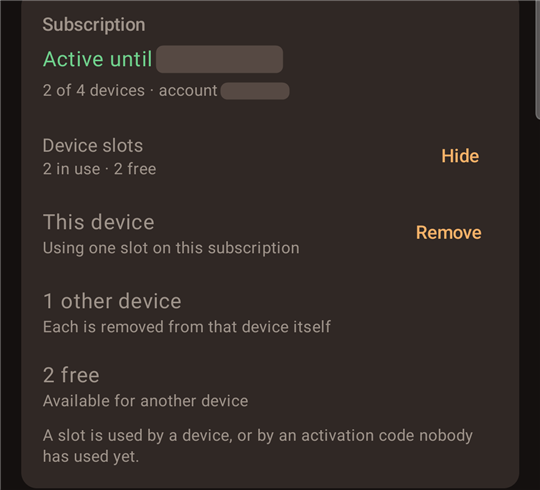
- "Device slots" → "Show" — which slots are taken, how many activation codes are still unused, and how many are free. There, "Remove" beside "This device" frees its slot — do it BEFORE wiping the phone or reinstalling the app;
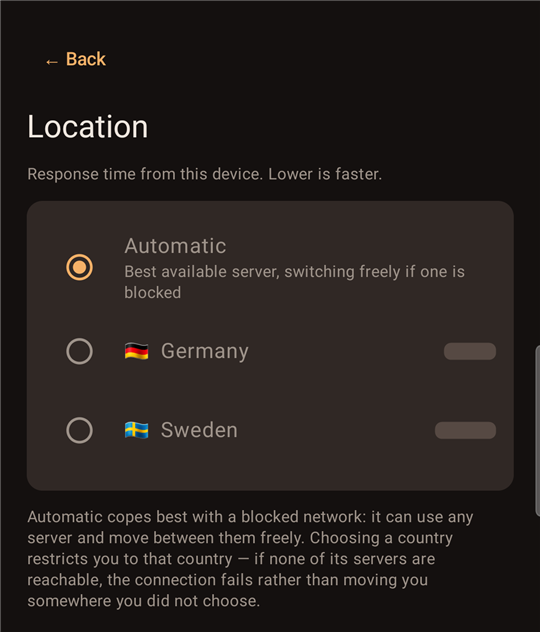
- "Location" — "Automatic" or a specific country, each with its response time;
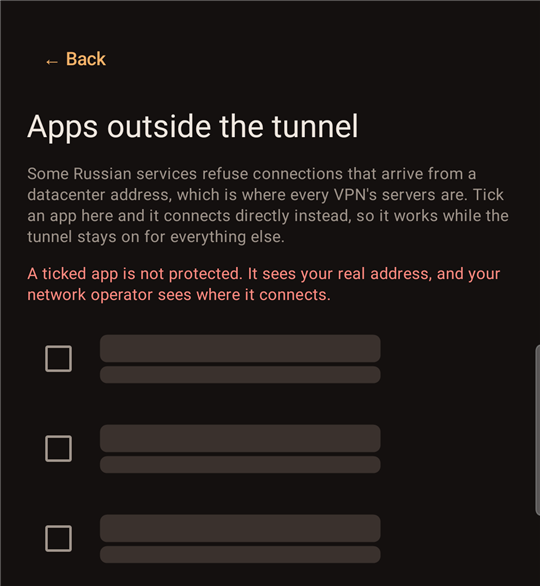
- "Apps outside the tunnel" — what goes to the internet directly, such as a bank or a government service; a change applies on reconnect, which happens by itself;
- "Kill-switch" — takes you to the system settings "Always-on VPN" and "Block connections without VPN";
- "Рус" / "Eng" in the header — the app's language.
Android: "Advanced"
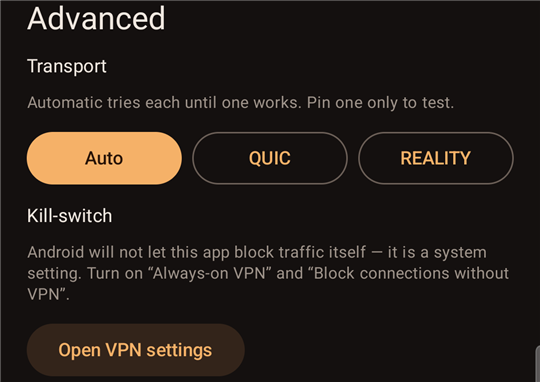
- "Transport" — Auto, QUIC or REALITY; in Auto the app picks the one that works on your network, and pinning one is for testing only;
- "Kill-switch" — a button that opens the system's VPN settings;
- "Add another device" — issues an activation code for another of your devices, one per press; each code works once;
- the account number and the device key — for recovery and diagnostics.
Windows: the tray icon menu
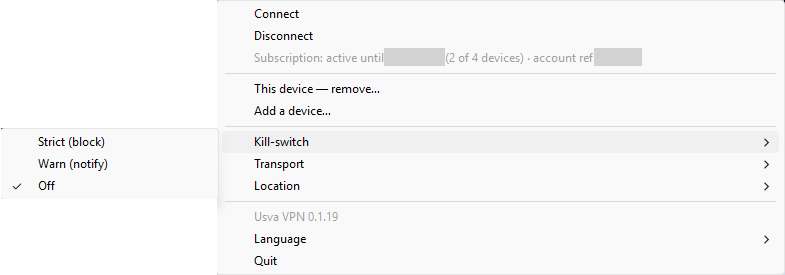
- "Connect" / "Disconnect"; the icon's colour shows the state, and flashing red means a leak;
- "Subscription: …" — the end date and the account ref;
- "Location" and "Transport" — the same as on Android;
- "Kill-switch" — "Strict (block)", "Warn (notify)" or "Off"; the choice is kept across restarts and updates;
- "Activate device…" — while the computer is not activated: enter a subscription code or an activation code; once it is, "This device — remove…" takes its place — free its slot;
- "Add a device…" — issue an activation code for another device from the account number;
- when a new version is out, an update item appears in the menu — it opens the download page;
- "Language" and "Quit".
Still stuck?
Write to support